AR Ruler: Tape Measure Tải về
| Tác giả: | Phiên bản mới nhất: | Ngày cập nhật: |
|---|---|---|
| Kraph Tech. | 01/01/1970 |
AR Ruler: Tape Measure Tải về Cài đặt APK
Downloading
Downloading AR Ruler: Tape Measure Tải về com.kraph.arrulermeasure.apk


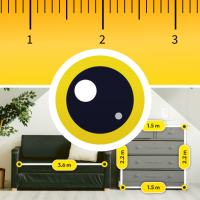
AR Ruler: Tape Measure helps you measure spaces and objects using your phone camera. You can quickly check room size, furniture dimensions, wall length, or floor area without using a physical measuring tape.
It is useful for home planning, interior design, moving, or everyday measurements. Point your camera from App and see measurements directly on your screen in simple steps.
Features
• AR Tape Measure
Measure distance, height, angle, and area using your phone camera
• Multiple Measurement Modes
Measure line, height, angle, distance, polyline, rectangle, circle, and volume
• Room & Wall Measurement
Measure walls, curved walls, and room layouts for home or office use
• Auto Detect Shapes
Automatically detect and measure basic shapes like square and circle
• Measure from Image
View, manage, and share saved measurement screenshots
• 3D Object Measurement
Measure cube, cylinder, and volume for furniture or objects
• Export & Save Results
Save measurement screenshots and export graphs for reference
• Unit Conversion Options
Switch between centimeters, meters, millimeters, inches, feet, and yards
• Camera Controls
Use flash and simple controls for better visibility while measuring
Use-Case Section
• Measure room size before buying furniture
• Check wall dimensions for painting or decoration
• Calculate floor area for tiles or carpet planning
• Measure objects when shopping or moving
• Take quick measurements without carrying tools
• Capture and save measurement screenshots for later use
Why This App Helps
This app provides a simple way to measure everyday spaces using your phone. It reduces the need for manual tools and helps you estimate sizes quickly when needed.
With multiple measurement modes and unit options, it can be used for different situations like home setup, planning, or quick checks. The interface is designed to be easy to use without technical knowledge.
Measure spaces easily anytime using your phone camera.
Permission:
1.Camera Permission: We required this permission to allow you to measure real-world objects using AR & allow you to capture photos using camera.
Xem thêm
It is useful for home planning, interior design, moving, or everyday measurements. Point your camera from App and see measurements directly on your screen in simple steps.
Features
• AR Tape Measure
Measure distance, height, angle, and area using your phone camera
• Multiple Measurement Modes
Measure line, height, angle, distance, polyline, rectangle, circle, and volume
• Room & Wall Measurement
Measure walls, curved walls, and room layouts for home or office use
• Auto Detect Shapes
Automatically detect and measure basic shapes like square and circle
• Measure from Image
View, manage, and share saved measurement screenshots
• 3D Object Measurement
Measure cube, cylinder, and volume for furniture or objects
• Export & Save Results
Save measurement screenshots and export graphs for reference
• Unit Conversion Options
Switch between centimeters, meters, millimeters, inches, feet, and yards
• Camera Controls
Use flash and simple controls for better visibility while measuring
Use-Case Section
• Measure room size before buying furniture
• Check wall dimensions for painting or decoration
• Calculate floor area for tiles or carpet planning
• Measure objects when shopping or moving
• Take quick measurements without carrying tools
• Capture and save measurement screenshots for later use
Why This App Helps
This app provides a simple way to measure everyday spaces using your phone. It reduces the need for manual tools and helps you estimate sizes quickly when needed.
With multiple measurement modes and unit options, it can be used for different situations like home setup, planning, or quick checks. The interface is designed to be easy to use without technical knowledge.
Measure spaces easily anytime using your phone camera.
Permission:
1.Camera Permission: We required this permission to allow you to measure real-world objects using AR & allow you to capture photos using camera.