
Download APK Smart Projector Control Latest Version
| Developer: | Latest Version: | Update Date: |
|---|---|---|
| Panasonic Connect Co., Ltd. . | 3.0.0 | 08/04/2024 |


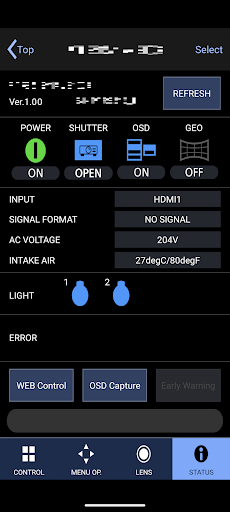
By installing Smart Projector Control onto your android device, and using wireless LAN (Wi-Fi) to connect to a network containing a Panasonic projector, you can operate the projector and check the projector status from your smartphone. In addition, for projectors that support USB cable connection, you can control and monitor the projector's status by connecting a USB cable to the projector.
---- Requirements ----
OS: Android 9 / 10 / 11 / 12 / 13 / 14
Tested Android Devices: Google Pixel 7 Pro / Google Pixel 7a / Google Pixel 7 / Google Pixel 5 / Google Pixel 4a(5g) / Google Pixel 3a / Google Pixel 3 / Google Nexus 6P / Samsung Galaxy S10
---- Compatible Projectors ----
See the following website for supported projectors.
https://docs.connect.panasonic.com/projector/download/application/smartpj/
---- Support pages ----
https://docs.connect.panasonic.com/projector/download/application/smartpj/
More
---- Requirements ----
OS: Android 9 / 10 / 11 / 12 / 13 / 14
Tested Android Devices: Google Pixel 7 Pro / Google Pixel 7a / Google Pixel 7 / Google Pixel 5 / Google Pixel 4a(5g) / Google Pixel 3a / Google Pixel 3 / Google Nexus 6P / Samsung Galaxy S10
---- Compatible Projectors ----
See the following website for supported projectors.
https://docs.connect.panasonic.com/projector/download/application/smartpj/
---- Support pages ----
https://docs.connect.panasonic.com/projector/download/application/smartpj/
What's new
Added new feature : USB CONNECT CONTROL
Category:
Get it on:

Size:
Packet Name:
com.panasonic.controlpj
Android Version:
6.0
Publish Date:
16/01/2017
Report:
Smart Projector Control Install APK