

Download APK Screen Orientation & Rotation Latest Version
| Developer: | Latest Version: | Update Date: |
|---|---|---|
| PransuInc . | 2.26.1026.1 | 06/04/2022 |
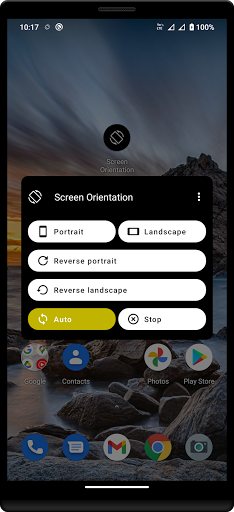
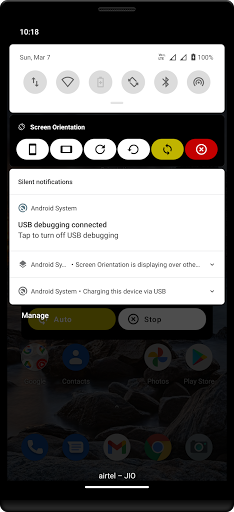
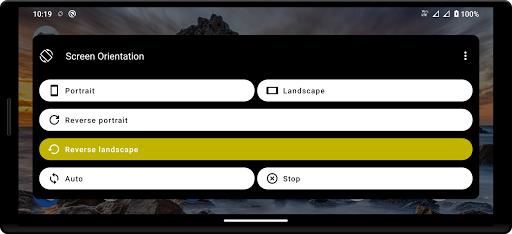
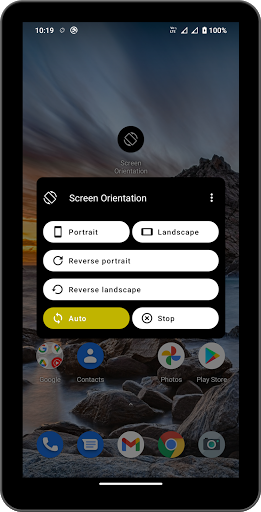
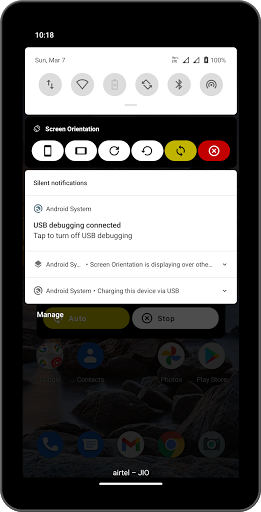

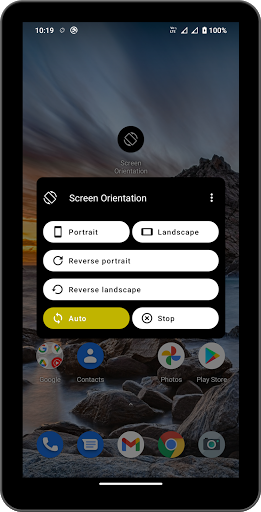
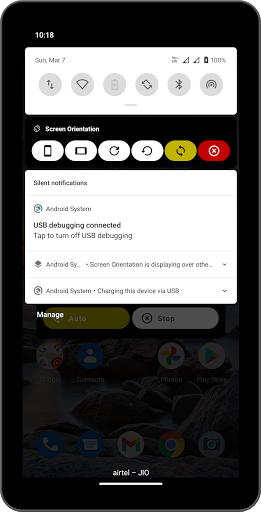
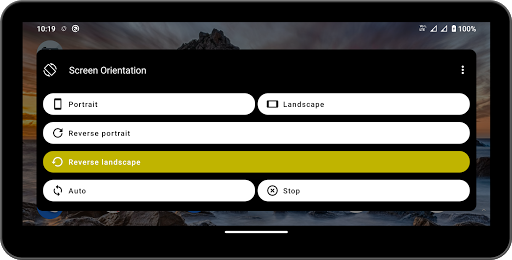
Screen Orientation lets you decide how your screen turns, in every app. Lock portrait or landscape, force landscape in apps that won't rotate, keep the screen still while you read in bed, and switch in one tap from the notification, Quick Settings, a home-screen widget or a floating bubble. Rules can even change the orientation for you, per app or when you plug in a charger.
★ 15 ROTATION MODES
• Lock: Portrait, Landscape, Reverse portrait, Reverse landscape
• Keep current: lock the orientation the screen shows right now, so apps can't change it
• Auto: system auto-rotate, All directions (including upside down), Portrait either way, Landscape either way
• Let apps decide: hand control back to the app in front
• Lying down & one-way: Lying on left side, Lying on right side, Upside down, Forward only, Reversed only
★ FORCE ROTATION IN ANY APP
Many apps lock themselves to one orientation. Screen Orientation overrides them, so a portrait-only app can run in landscape on your stand, and a landscape game can stay in reverse landscape. Turn off auto-rotate surprises when you're lying on your side or using a car mount.
★ SWITCH IN ONE TAP, FROM ANYWHERE
• Notification controls: Portrait, Landscape, reverse modes, Auto and Stop, with more modes when you expand it. A one-line minimised notification is available too
• Quick Settings tile: tap to cycle Portrait, Landscape and Auto
• Home-screen widget: resizable, shows the current mode and up to five mode buttons
• Launcher shortcuts: long-press the app icon for Portrait, Landscape, Auto, Stop and your last mode
• Floating control: an optional bubble over other apps. Tap it for every mode without leaving your video or game. Drag it anywhere; it snaps to the edge and fades when idle
★ PER-APP ROTATION RULES
Choose an orientation for each app: your reader in portrait, maps in landscape, a game in reverse landscape. The rule applies when the app opens and the previous mode comes back when you leave. Search your apps, and turn on "Remember my choice for each app" to save the mode you pick while an app is open.
★ AUTOMATIC TRIGGERS
Change the orientation automatically when your device is:
• Charging
• Connected to wired or USB-C headphones
• Docked
• Connected to a Bluetooth device you choose
Sort them by priority, or let the most recent one win.
★ BUILT FOR PHONES, TABLETS AND FOLDABLES
A two-pane layout on tablets, unfolded foldables and landscape phones. The lock is re-applied when you fold or unfold. Your mode comes back after a restart, unless you stopped it.
★ ALWAYS UNDER CONTROL
• Stop hands rotation back to the system in one tap; Resume brings back your last mode
• A status card tells you if a permission is off and fixes it in one tap
• Help & troubleshooting with battery-saver advice for your phone's brand
★ MAKE IT YOURS
• Light, dark or system theme
• Wallpaper colors (Android 12+) or one of 8 color palettes: Indigo, Sunset, Ocean, Forest, Berry, Amber, Violet, Sky
• 21 languages with an in-app language picker
• Large-text friendly and labelled for TalkBack
★ PERMISSIONS, EXPLAINED
• Modify system settings: to set auto-rotate and the locked rotation
• Display over other apps: a tiny invisible window that asks Android for your orientation, and the optional floating bubble
• Notifications: for the quick controls
• Usage access (only if you add per-app rules): to see which app is in front. This stays on your device
• Nearby devices (only for the Bluetooth trigger): to list your paired devices
Screen Orientation does not use an accessibility service.
Good to know: on Android 16 and later, tablets and unfolded foldables ignore orientation requests from apps. The four lock modes still work there through the system rotation setting. The lock screen follows the system orientation.
Screen Orientation is free and supported by ads. There are never ads when you change the orientation, from the notification, tile, widget, shortcuts or floating bubble.
More
★ 15 ROTATION MODES
• Lock: Portrait, Landscape, Reverse portrait, Reverse landscape
• Keep current: lock the orientation the screen shows right now, so apps can't change it
• Auto: system auto-rotate, All directions (including upside down), Portrait either way, Landscape either way
• Let apps decide: hand control back to the app in front
• Lying down & one-way: Lying on left side, Lying on right side, Upside down, Forward only, Reversed only
★ FORCE ROTATION IN ANY APP
Many apps lock themselves to one orientation. Screen Orientation overrides them, so a portrait-only app can run in landscape on your stand, and a landscape game can stay in reverse landscape. Turn off auto-rotate surprises when you're lying on your side or using a car mount.
★ SWITCH IN ONE TAP, FROM ANYWHERE
• Notification controls: Portrait, Landscape, reverse modes, Auto and Stop, with more modes when you expand it. A one-line minimised notification is available too
• Quick Settings tile: tap to cycle Portrait, Landscape and Auto
• Home-screen widget: resizable, shows the current mode and up to five mode buttons
• Launcher shortcuts: long-press the app icon for Portrait, Landscape, Auto, Stop and your last mode
• Floating control: an optional bubble over other apps. Tap it for every mode without leaving your video or game. Drag it anywhere; it snaps to the edge and fades when idle
★ PER-APP ROTATION RULES
Choose an orientation for each app: your reader in portrait, maps in landscape, a game in reverse landscape. The rule applies when the app opens and the previous mode comes back when you leave. Search your apps, and turn on "Remember my choice for each app" to save the mode you pick while an app is open.
★ AUTOMATIC TRIGGERS
Change the orientation automatically when your device is:
• Charging
• Connected to wired or USB-C headphones
• Docked
• Connected to a Bluetooth device you choose
Sort them by priority, or let the most recent one win.
★ BUILT FOR PHONES, TABLETS AND FOLDABLES
A two-pane layout on tablets, unfolded foldables and landscape phones. The lock is re-applied when you fold or unfold. Your mode comes back after a restart, unless you stopped it.
★ ALWAYS UNDER CONTROL
• Stop hands rotation back to the system in one tap; Resume brings back your last mode
• A status card tells you if a permission is off and fixes it in one tap
• Help & troubleshooting with battery-saver advice for your phone's brand
★ MAKE IT YOURS
• Light, dark or system theme
• Wallpaper colors (Android 12+) or one of 8 color palettes: Indigo, Sunset, Ocean, Forest, Berry, Amber, Violet, Sky
• 21 languages with an in-app language picker
• Large-text friendly and labelled for TalkBack
★ PERMISSIONS, EXPLAINED
• Modify system settings: to set auto-rotate and the locked rotation
• Display over other apps: a tiny invisible window that asks Android for your orientation, and the optional floating bubble
• Notifications: for the quick controls
• Usage access (only if you add per-app rules): to see which app is in front. This stays on your device
• Nearby devices (only for the Bluetooth trigger): to list your paired devices
Screen Orientation does not use an accessibility service.
Good to know: on Android 16 and later, tablets and unfolded foldables ignore orientation requests from apps. The four lock modes still work there through the system rotation setting. The lock screen follows the system orientation.
Screen Orientation is free and supported by ads. There are never ads when you change the orientation, from the notification, tile, widget, shortcuts or floating bubble.
What's new
- All new: 15 rotation modes, including lying-down, upside-down and Keep current
- Switch from Quick Settings, a home-screen widget, app shortcuts or a floating bubble
- Per-app rules and triggers for charging, headphones, dock and Bluetooth
- New design with dark theme, 8 color palettes and wallpaper colors
- 21 languages with an in-app language picker
- More apps: discover our other apps
- Bug fixes and performance improvements.
- Switch from Quick Settings, a home-screen widget, app shortcuts or a floating bubble
- Per-app rules and triggers for charging, headphones, dock and Bluetooth
- New design with dark theme, 8 color palettes and wallpaper colors
- 21 languages with an in-app language picker
- More apps: discover our other apps
- Bug fixes and performance improvements.
Category:
Get it on:

Size:
Packet Name:
com.pransuinc.screenorientation
Android Version:
7.0
Publish Date:
12/11/2017
Report:
Screen Orientation & Rotation Install APK