

Download APK MusicCast Controller Latest Version
| Developer: | Latest Version: | Update Date: |
|---|---|---|
| Yamaha Corporation . | 6.10 | 16/07/2025 |
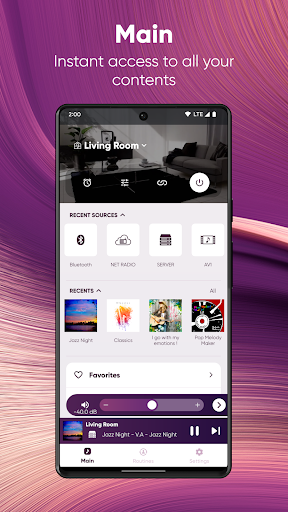
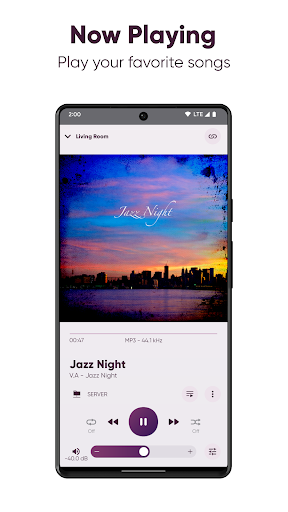
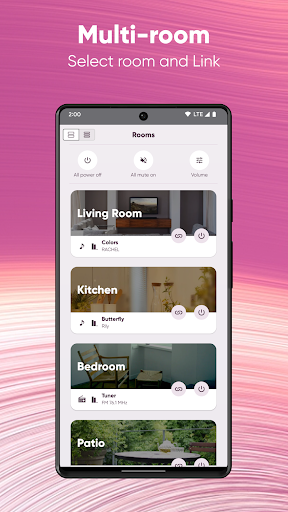
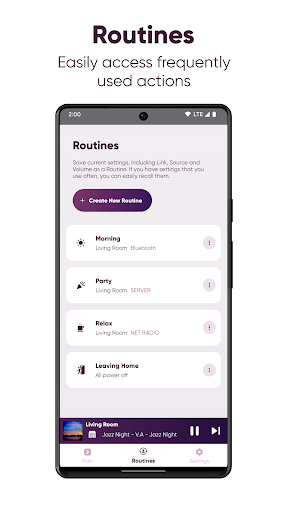
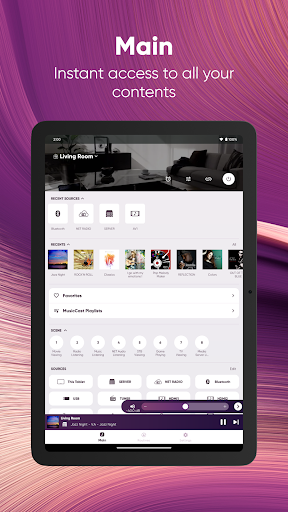
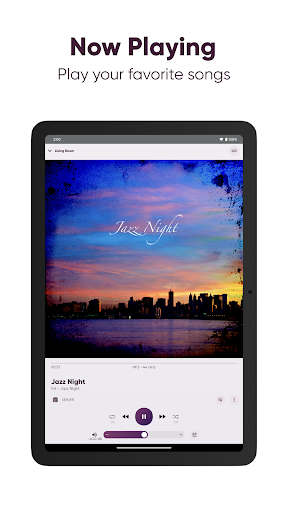
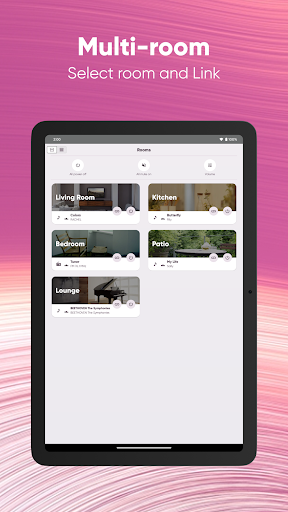
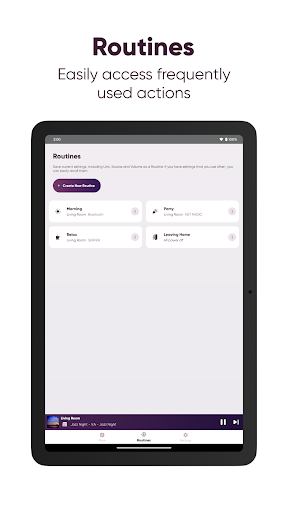
Choose what you want to listen to, where and how with MusicCast. MusicCast is a streaming and multi-room audio system built into many Yamaha products, including sound bars, wireless speakers, AV receivers and more. The MusicCast app lets you easily control them all.
Music Everywhere
-Listen to music throughout your whole home
-Listen to the same or different music in each room
Stream your favorites
-Stream from popular music services or from Internet Radio stations
-Access your music library from your smartphone, NAS drive or computer
-Stream internal or external content (TV, CD Player, Blu-ray Disc Player, USB, and more)
Don't skimp on quality
-Supports High Resolution Audio playback (up to 192kHz/24bit)
Create wireless setups
-MusicCast Stereo: Pair compatible models for a wireless 2-channel or 2.1-channel setup
-MusicCast Surround: Pair select models together for the ease of wirelss surround sound
Make your music yours
-Multiple settings to customize your experience
Requirements
- Android7.0 or higher
- A Wi-Fi router and one or more MusicCast-enabled products within the same network
Compatible models vary by region.
Please refer to the following site for compatible models.
https://www.yamaha.com/2/musiccast/
This application performs following functions for purposes described below.
- Making a connection under Wi-Fi enabled environment
The application uses Wi-Fi function on your mobile terminal for the purpose of operating network-enabled devices.
- Accessing to music information stored in your smartphone / tablet
This application accesses to music information stored in your smartphone / tablet for the purpose of displaying, playing and editing the music information and/or playlist.
To find your Wi-Fi compatible devices, the MusicCast app needs to access this Android device's location info. This app doesn’t collect your location using GPS.
More
Music Everywhere
-Listen to music throughout your whole home
-Listen to the same or different music in each room
Stream your favorites
-Stream from popular music services or from Internet Radio stations
-Access your music library from your smartphone, NAS drive or computer
-Stream internal or external content (TV, CD Player, Blu-ray Disc Player, USB, and more)
Don't skimp on quality
-Supports High Resolution Audio playback (up to 192kHz/24bit)
Create wireless setups
-MusicCast Stereo: Pair compatible models for a wireless 2-channel or 2.1-channel setup
-MusicCast Surround: Pair select models together for the ease of wirelss surround sound
Make your music yours
-Multiple settings to customize your experience
Requirements
- Android7.0 or higher
- A Wi-Fi router and one or more MusicCast-enabled products within the same network
Compatible models vary by region.
Please refer to the following site for compatible models.
https://www.yamaha.com/2/musiccast/
This application performs following functions for purposes described below.
- Making a connection under Wi-Fi enabled environment
The application uses Wi-Fi function on your mobile terminal for the purpose of operating network-enabled devices.
- Accessing to music information stored in your smartphone / tablet
This application accesses to music information stored in your smartphone / tablet for the purpose of displaying, playing and editing the music information and/or playlist.
To find your Wi-Fi compatible devices, the MusicCast app needs to access this Android device's location info. This app doesn’t collect your location using GPS.
What's new
- Support new model (SR-X90A)
- Bug fixes
- Other improvements
- Bug fixes
- Other improvements
Category:
Get it on:

Size:
Packet Name:
com.yamaha.av.musiccastcontroller
Android Version:
7.0
Publish Date:
20/08/2015
Report:
MusicCast Controller Install APK