

Download APK Launcher Smart Silverfish Latest Version
| Developer: | Latest Version: | Update Date: |
|---|---|---|
| GTSStar .co . | 01/01/1970 |


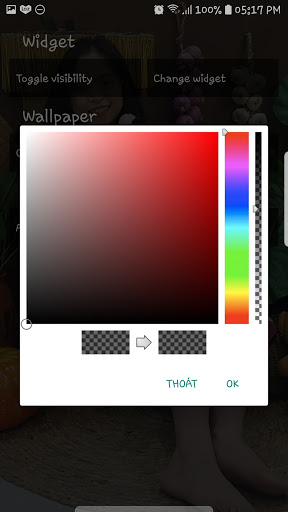
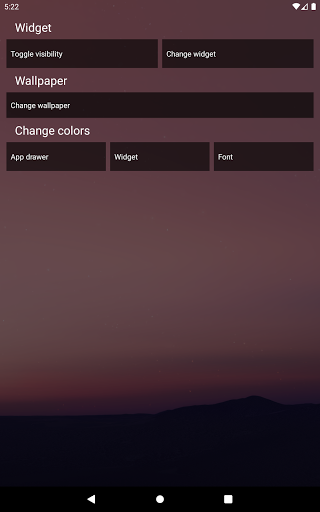
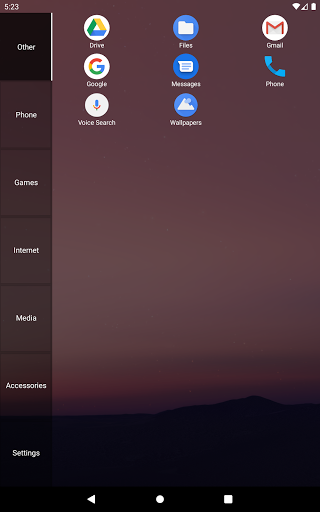


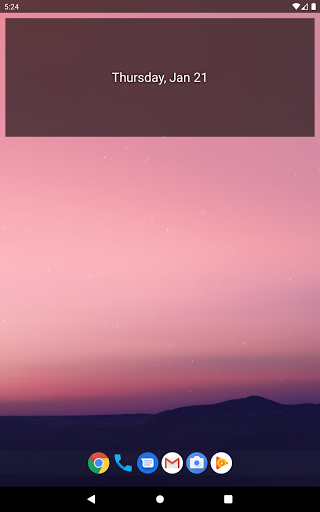
The launcher consist of two pages: The home screen and the appdrawer.
On the homescreen there is a widget section and a shortcut section. To change the widget simply long click the widget section and choose your new widget (you might also have to give widget access to Smart Silverfish launcher).
You can add shortcuts to the homescreen by going to the app drawer (swipe right) long click an app and then drag it into the homescreen. The homescreen will automatically position your shortcuts in such a way that they will form a square.
The app drawer is devided into multiple tabs for different application types, like Launcher Sidebar.
You can add, remove or rename a tab by long clicking it.
More
On the homescreen there is a widget section and a shortcut section. To change the widget simply long click the widget section and choose your new widget (you might also have to give widget access to Smart Silverfish launcher).
You can add shortcuts to the homescreen by going to the app drawer (swipe right) long click an app and then drag it into the homescreen. The homescreen will automatically position your shortcuts in such a way that they will form a square.
The app drawer is devided into multiple tabs for different application types, like Launcher Sidebar.
You can add, remove or rename a tab by long clicking it.
What's new
Category:
Get it on:

Size:
Packet Name:
com.launcher.smartsilverfish
Android Version:
Publish Date:
21/01/2021
Report:
Launcher Smart Silverfish Install APK