
Download APK FlexRelease CX Latest Version
| Developer: | Latest Version: | Update Date: |
|---|---|---|
| Ricoh Co., Ltd. . | 05/02/2019 |




This app is not supported on latest Android version. Please download the new app "RICOH Smart Device Connector".
*You can use your current login credentials.
-------------------------------------------------------------
You can print data on your Android Smartphone / Tablet from anywhere in the world securely via Ricoh MFP’s and Printers by utilizing this application FlexRelease CX.
How to print from your Android devices;
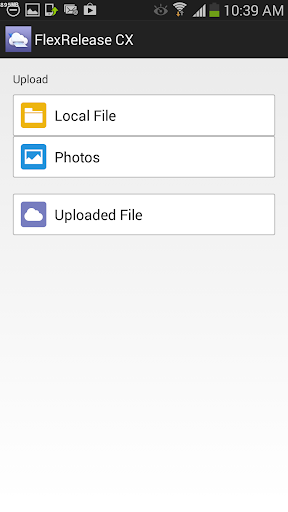
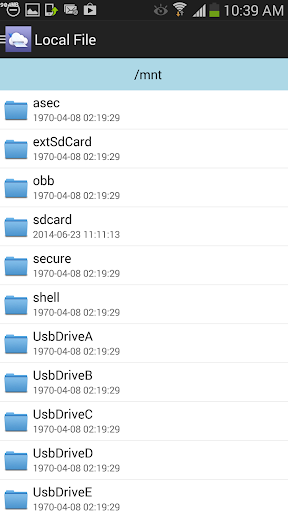
Start up FlexRelease CX and register files on your device that you would like to print from FlexRelease CX
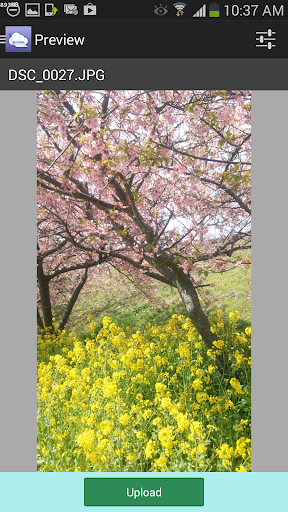
Add print settings (Quantity, single-side/double-sided, 2in1/4in1, paper size, Black&White/Color) then upload print jobs.
*The data registered on this application, not the original data on your Smartphone / Tablet, is deleted when uploading has succeeded.
Go to any available Ricoh MFP that is contracted to FlexRelease CX and login with your ID and pass word.
Select print jobs that you would like to print from the LCD panel on the MFP then release the documents.
Flex Release CX has the following features:
・You can print the following file formats:
- Microsoft Word 2003/2007/2010
- Microsoft Excel 2003/2007/2010
- Microsoft PowerPoint 2003/2007/2010
- Image files (JPEG/TIFF/GIF/PNG)
- Text files (UTF-8)
More
*You can use your current login credentials.
-------------------------------------------------------------
You can print data on your Android Smartphone / Tablet from anywhere in the world securely via Ricoh MFP’s and Printers by utilizing this application FlexRelease CX.
How to print from your Android devices;
Start up FlexRelease CX and register files on your device that you would like to print from FlexRelease CX
Add print settings (Quantity, single-side/double-sided, 2in1/4in1, paper size, Black&White/Color) then upload print jobs.
*The data registered on this application, not the original data on your Smartphone / Tablet, is deleted when uploading has succeeded.
Go to any available Ricoh MFP that is contracted to FlexRelease CX and login with your ID and pass word.
Select print jobs that you would like to print from the LCD panel on the MFP then release the documents.
Flex Release CX has the following features:
・You can print the following file formats:
- Microsoft Word 2003/2007/2010
- Microsoft Excel 2003/2007/2010
- Microsoft PowerPoint 2003/2007/2010
- Image files (JPEG/TIFF/GIF/PNG)
- Text files (UTF-8)
What's new
Android 6.0, 7.0, 8.0 support
Category:
Get it on:

Size:
Packet Name:
jp.co.ricoh.cloud.flexrelease
Android Version:
Publish Date:
24/08/2014
Report:
FlexRelease CX Install APK