

Download APK My Color Note Notepad Latest Version
| Developer: | Latest Version: | Update Date: |
|---|---|---|
| Firehawk. | 3.1.3.2 | 30/10/2026 |
Download APK My Color Note Notepad Latest Version Install APK
Downloading
Downloading Download APK My Color Note Notepad Latest Version com.cga.my.color.note.notepad.apk



What is My Color Note Notepad?
Keep notes, checklists and reminders together in a colorful Android notebook. Use color labels to separate work, study and personal notes, then find them by date, label or keyword when you need them again.
Add more than text: attach photos, drawings, audio recordings or files to keep useful details with the note they belong to.
Who is My Color Note Notepad for?
It is for anyone collecting class notes, planning a project, keeping a grocery checklist or writing down ideas during the day. Use a checklist for items you want to mark complete, a reminder for a task with a date, or a regular note for details you want to keep.
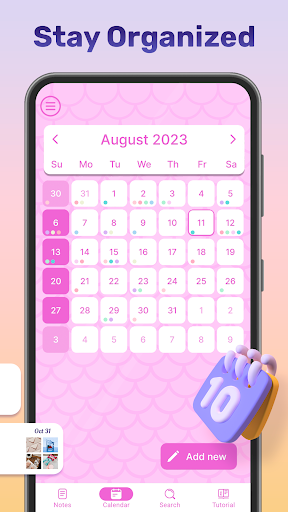
A home-screen widget keeps selected notes visible, while the calendar gives you another way to organize your schedule.
What does My Color Note Notepad do?
• 📝 Create text notes, to-do lists and checklists, and check off completed items.
• 🎨 Organize with colors and labels, choose colorful note designs and pin important notes.
• Attach photos, drawings, audio recordings and files to your notes.
• Draw and paint with the built-in sketch tools.
• Set reminders and use the calendar to organize dated notes and tasks.
• Search by date, label or keyword instead of browsing every note.
• 📌 Place a note widget on your home screen to view and update notes, lists and reminders.
• Use password locking or supported biometrics to restrict access to private notes.
• Back up and restore your notes.
• Choose an interface language, including English, German, Spanish, French or Portuguese.
How does My Color Note Notepad work?
Create a note or checklist, add a title and enter your content. Choose a color or label to help identify it later. Attach a photo or file, make a drawing, or record an audio note when that suits the information better than typing.
Save the note, add a reminder where needed and use the calendar or search to find it again. For information you want to see often, add the note widget to your home screen. Set up the available lock option for notes you want to keep behind an access check.
Compatibility and requirements
Allow microphone access when you choose to record an audio note. To attach content, select the photos or files you want the app to use. Keep notifications enabled if you want to receive reminder alerts.
Biometric locking depends on a compatible device with biometrics set up. Use a home-screen launcher that supports Android widgets to place a note widget.
Back up important notes before changing devices or removing the app, and keep the backup available for restoration. Password or biometric access controls are not a substitute for keeping a backup.
The app contains ads and offers in-app purchases.
My Color Note Notepad brings colorful organization, checklists and multimedia notes into one place for your everyday plans and ideas.
More
