


**Bring Timeflik watch faces to your Android home screen**
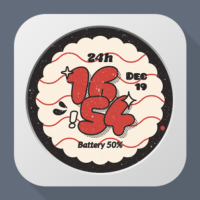
Timeflik Clock Widget brings a curated selection of premium watch faces from the Timeflik watch face store directly onto your Android home screen as a live widget. Powered by the same rendering engine as Timeflik, every face animates in real time on your phone — no smartwatch required.
**Key Features**
- **Curated Watch Faces** — handpicked premium designs from the Timeflik catalog
- **Live Rendering** — smooth, real-time clock animation on your home screen
- **Bezel Selection** — choose from multiple bezel designs (metal, gold, ceramic, and more) to match your style
- **Resizable Widget** — adjust the widget size to fit your home screen layout
- **Weather (optional)** — display current weather, hourly and daily forecasts, and UV index on faces that support it
**How to Use**
1. Install and launch the app
2. Browse the watch face list and tap one to preview
3. Pick a bezel that matches your style
4. Tap "Apply" — the widget is added to your home screen
5. Tap the widget anytime to refresh it instantly or open the app
**Permissions**
- **Notifications** — required so the foreground service notification can run, which is what keeps the widget rendering smoothly in the background
- **Location (optional)** — used only to fetch local weather for watch faces that display weather; declining or skipping has no effect on other features
**Tip**
Pair Timeflik Clock Widget with the full Timeflik app to discover even more watch faces and send them to your real smartwatch.
Dahası
Timeflik Clock Widget brings a curated selection of premium watch faces from the Timeflik watch face store directly onto your Android home screen as a live widget. Powered by the same rendering engine as Timeflik, every face animates in real time on your phone — no smartwatch required.
**Key Features**
- **Curated Watch Faces** — handpicked premium designs from the Timeflik catalog
- **Live Rendering** — smooth, real-time clock animation on your home screen
- **Bezel Selection** — choose from multiple bezel designs (metal, gold, ceramic, and more) to match your style
- **Resizable Widget** — adjust the widget size to fit your home screen layout
- **Weather (optional)** — display current weather, hourly and daily forecasts, and UV index on faces that support it
**How to Use**
1. Install and launch the app
2. Browse the watch face list and tap one to preview
3. Pick a bezel that matches your style
4. Tap "Apply" — the widget is added to your home screen
5. Tap the widget anytime to refresh it instantly or open the app
**Permissions**
- **Notifications** — required so the foreground service notification can run, which is what keeps the widget rendering smoothly in the background
- **Location (optional)** — used only to fetch local weather for watch faces that display weather; declining or skipping has no effect on other features
**Tip**
Pair Timeflik Clock Widget with the full Timeflik app to discover even more watch faces and send them to your real smartwatch.
Yenilikler
Kategori:
İndirin:

Boyut:
Paket ID:
com.apposter.timeflikwidget
Android Versiyonu:
Yayınlanma Tarihi:
24/03/2026
Report:
Timeflik Clock Widget