

Download APK File Manager Latest Version
| Developer: | Latest Version: | Update Date: |
|---|---|---|
| Xiaomi Inc.. | V1-210601 | 13/05/2024 |
Download APK File Manager Latest Version Install APK
Downloading
Downloading Download APK File Manager Latest Version com.mi.android.globalFileexplorer.apk


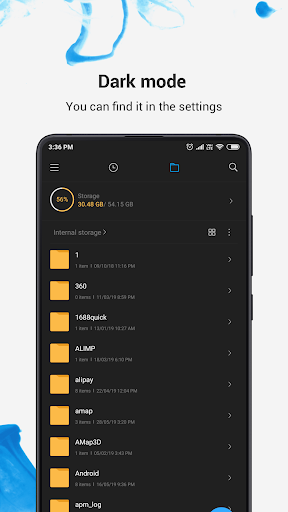


Mi File Manager is a free, secure tool that helps you find file faster, manage files easily, and share them offline with others. It supports tons of cool features: quick search, moving, deleting, opening, and sharing files, as well as renaming, unzipping, and copy-paste. Mi File Manager also recognizes multiple file formats, including music, videos, images, documents, APKs, and zip-files. We update our app regularly to bring you the best experience. With Mi File Manager’s crisp and clear UI, file management becomes easier than ever before!
Key features
Recent: View the files you worked with recently without looking for them.
Categories: Files are organized into categories by their formats. From there, you can access to frequently used apps quickly.
Storage: View your storage stats and manage all folders on your device.
Cleaner: Free up storage space on your device by deleting cache and junk files.
Mi Drop: Share files with friends who are nearby without connecting to the Internet.
Global search: Enter keywords to find files.
Multiple file formats support: Open videos, music, documents, APKs, and compressed files with one tap.
File compression: Compress and decompress ZIP/RAR archives.
Manage multiple files: Select multiple files for the same operation.
Multiple languages supported: Bahasa Indonesia, Bengali, Chinese, English, Español, Português, ру́сский язы́к, українська мова, Tiếng Việt
More
What's new
Thank you for using File Manager. Here's what we've done in the new version:
1. Fixed some known bugs.
2. Boosted overall performance.
1. Fixed some known bugs.
2. Boosted overall performance.
