

Download APK Almighty Volume Keys: Remapper Latest Version
| Developer: | Latest Version: | Update Date: |
|---|---|---|
| Galaxy studio apps . | 3.0 | 07/05/2024 |


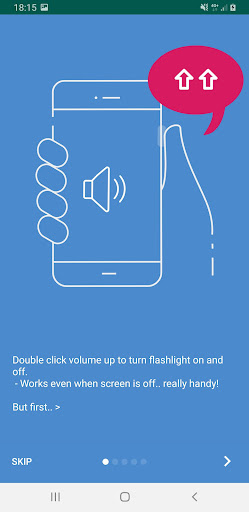




Remap the hardware volume buttons! They can do more then just changing volume! Use the volume keys to do common everyday tasks.
For example, volume Up turns on flashlight, Long Up skips music track, Up->Up starts recording sound, Down->Down->Down mutes sound.. you decide the commands and actions. When an action is executed any volume change that happened is reset, so no risk to mix up commands and volume changes.
No need to use the touch screen, turn on the screen, take off your gloves, or even take the device out of your pocket!
Use the volume keys to:
• Turn flashlight on and off
• Control music (play/ pause/ skip track/ previous track)
• Announce currently playing music (with computer voice)
• Change system language
• Change screen orientation
• Turn on and off screen auto-rotation
• Set sound mode (sound/ vibrate/ mute)
• Turn on and off Do Not Disturb
• Tell time (with computer voice)
• Record sound
• Run a Tasker task (can do pretty much anything)
• And also, change the volume :)
No root access needed, no difficult setup.
This app can use different methods to monitor key presses. To make it work reliably on some devices, you're required to give permission to AccessibilityService API. This permission is usually used by apps targeted for people with disabilities, but in this case it's just for detecting key presses.
More
For example, volume Up turns on flashlight, Long Up skips music track, Up->Up starts recording sound, Down->Down->Down mutes sound.. you decide the commands and actions. When an action is executed any volume change that happened is reset, so no risk to mix up commands and volume changes.
No need to use the touch screen, turn on the screen, take off your gloves, or even take the device out of your pocket!
Use the volume keys to:
• Turn flashlight on and off
• Control music (play/ pause/ skip track/ previous track)
• Announce currently playing music (with computer voice)
• Change system language
• Change screen orientation
• Turn on and off screen auto-rotation
• Set sound mode (sound/ vibrate/ mute)
• Turn on and off Do Not Disturb
• Tell time (with computer voice)
• Record sound
• Run a Tasker task (can do pretty much anything)
• And also, change the volume :)
No root access needed, no difficult setup.
This app can use different methods to monitor key presses. To make it work reliably on some devices, you're required to give permission to AccessibilityService API. This permission is usually used by apps targeted for people with disabilities, but in this case it's just for detecting key presses.
What's new
- Improve stability
- Request ad consent
- Request ad consent
Category:
Get it on:

Size:
Packet Name:
com.masel.almightyvolumekeys
Android Version:
8.0
Publish Date:
28/01/2020
Report:
Almighty Volume Keys: Remapper Install APK